CART
Protect every cart
Existing cart contents stay put. Reorder lines merge only when variants and properties match.
Give customers a fast, reliable way to buy past favorites again. MW ReorderFlow checks today's catalog, protects the current cart, and guides every viable item back to checkout.
One route, checked at every stop.
Products change. Inventory moves. Customers keep shopping. MW ReorderFlow resolves the differences before they become friction.
Existing cart contents stay put. Reorder lines merge only when variants and properties match.
Validate current variants, pricing, inventory, availability, and quantity before adding anything.
Offer up to three relevant replacements and let the customer make the final choice.
See Buy Again clicks, completed reorders, and attributed revenue—not just cart activity.
The customer starts from a paid order and keeps control through every current-catalog check.
View the setup guideThe Buy Again action lives inside the customer's Shopify order history.
Keep items, change quantities, choose replacements, and consider relevant add-ons.
Only validated selections reach the preserved Shopify cart and checkout.
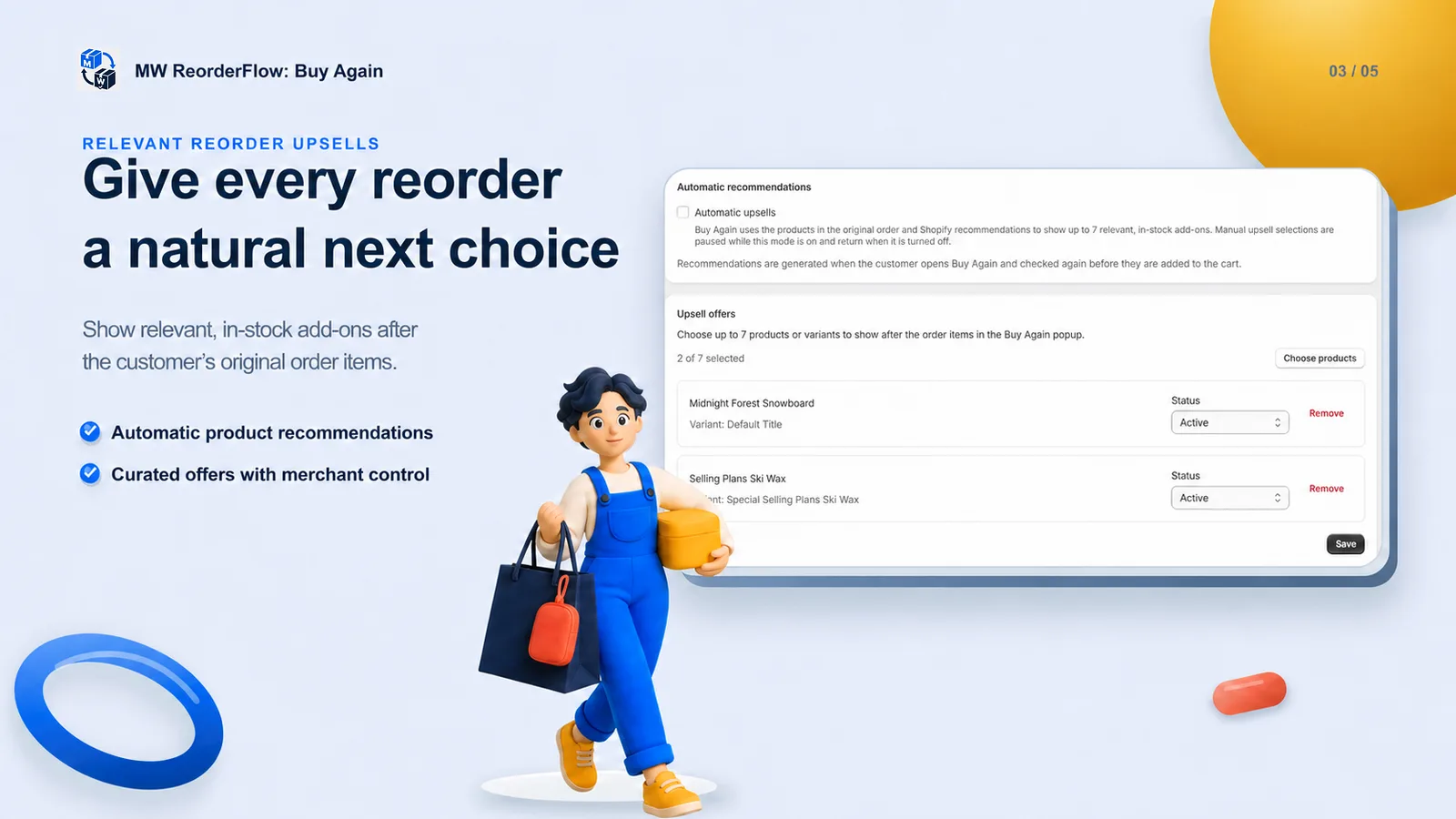
Place up to seven merchant-selected products or variants after the original items, or use automatic recommendations. Every selected add-on gets the same availability check before cart.
Clear answers about the customer account action and the route to checkout.
MW ReorderFlow adds a guided Buy Again action to paid orders in Shopify customer accounts. Customers choose which items to reorder, update quantities, review current availability, and continue to their existing cart.
No. MW ReorderFlow preserves the existing cart. It merges only compatible selected lines and leaves other products untouched.
The app can show up to three automatic or merchant-defined replacement choices. The customer decides whether to select an alternative; the original item is never silently replaced.
No theme code is required. The Buy Again action is added through Shopify’s customer account editor and appears on the Orders page.
Start with a customer-controlled Buy Again route in Shopify.