Replacement choices for unavailable Shopify reorder items
A past order can outlive a product, variant, or inventory position. MW ReorderFlow checks the catalog again and can present up to three current alternatives when the original line cannot be reordered.
Check the product before adding it again
When the customer opens Buy Again, the App checks the current variant, price, availability, inventory, and allowed quantity. It repeats the check before adding selected lines to the Shopify cart. The reorder therefore uses the current catalog state, not only the historical order snapshot.
Use automatic replacement recommendations
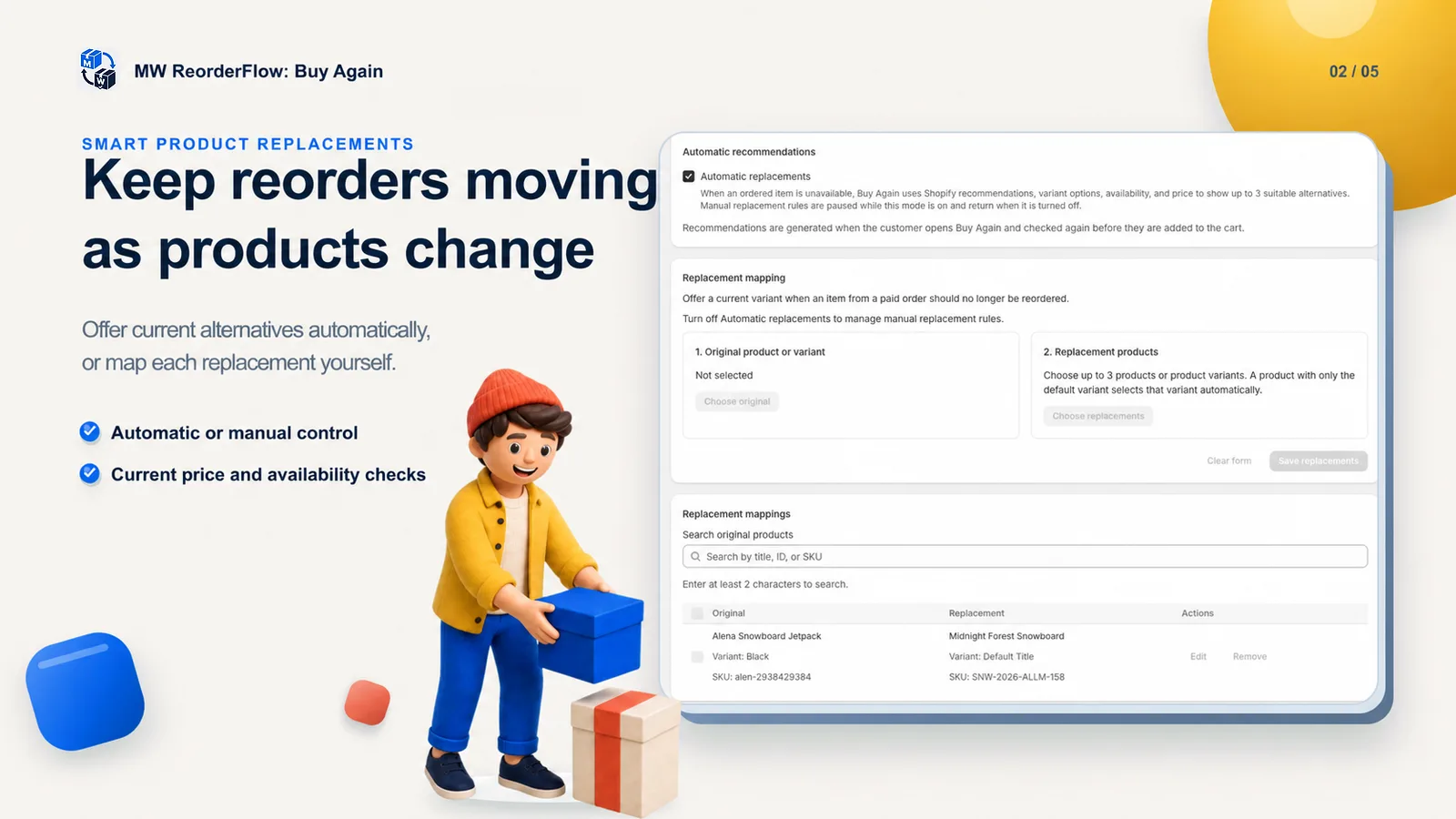
In automatic mode, MW ReorderFlow uses Shopify product recommendations together with variant options, current availability, and price to find up to three suitable alternatives. Recommendations are generated when the customer opens Buy Again and checked again before reaching the cart.
Define replacement choices yourself
For tighter catalog control, map an original product or variant to up to three replacement products or variants. This is useful when a SKU is discontinued, a new size replaces an old one, or a merchant wants to direct customers to a specific successor product.
Automatic recommendations and merchant-defined mappings are separate modes. Turning on automatic recommendations pauses manual mappings; the mappings return when automatic mode is turned off.
The customer makes the replacement decision
MW ReorderFlow does not silently replace an ordered item. It marks the original as unavailable, displays eligible alternatives, and waits for the customer to select one. An unavailable line is not added until a valid alternative is chosen; the customer can continue with the other available items instead.
Preserve the rest of the Shopify cart
Replacement choices are part of the same cart-preserving reorder flow. Existing cart contents remain in place, and only compatible selected lines are merged. The Shopify cart and checkout show the final current product, price, discounts, shipping, tax, and availability.
See the complete Shopify reorder workflow or follow the Buy Again setup guide.